

Earlier this day, I was experimenting with Teto SV2 with the official manual mode script for sv2 and I kept getting frustrated about it being absurdly slow to process the 800 notes of the project.
Since I was frustrated and didn't want to bother going through the whole script to manually optimise it, I ended up as an experiment giving the script to grok with the simple instruction "Optimise the script to make it more efficient". Which it did pretty quickly.
I did a test after and the script's speed improved a ton, it went from taking a whole minute processing 800 notes to taking.... a few seconds.
Since it did so well with the optimisation, i got the idea to ask it "add a pitch snap button behaving like vocaloid's" and it also did it. which is pretty cool since pitch snap allows Teto SV2 to sound just like UTAU Teto
I don't consider this script an official "work" of mine compared to Betterloid due to the fact... Grok made these script edits.
It originally was just done as an experiment for my own convenience with no intent to be an "edit to distribute". But it's so useful that I feel like I might as well share it to other people who want it as some people already requested it from me.
CLICK HERE TO DOWNLOAD : 24.3 KB file on MEGA
To install it, it's simple, open the file explorer and type %APPDATA%
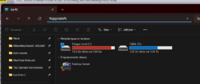
Just press the return key, it will lead you to the Roaming folder
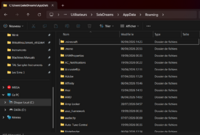
Then just look for
And drop ManualMode.js inside
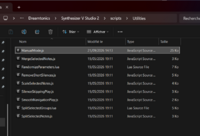
That's all you need to do. once you reboot synthv 2, it will find the script and you'll be able to use it.
Since I was frustrated and didn't want to bother going through the whole script to manually optimise it, I ended up as an experiment giving the script to grok with the simple instruction "Optimise the script to make it more efficient". Which it did pretty quickly.
I did a test after and the script's speed improved a ton, it went from taking a whole minute processing 800 notes to taking.... a few seconds.
Since it did so well with the optimisation, i got the idea to ask it "add a pitch snap button behaving like vocaloid's" and it also did it. which is pretty cool since pitch snap allows Teto SV2 to sound just like UTAU Teto
I don't consider this script an official "work" of mine compared to Betterloid due to the fact... Grok made these script edits.
It originally was just done as an experiment for my own convenience with no intent to be an "edit to distribute". But it's so useful that I feel like I might as well share it to other people who want it as some people already requested it from me.
CLICK HERE TO DOWNLOAD : 24.3 KB file on MEGA
To install it, it's simple, open the file explorer and type %APPDATA%
Just press the return key, it will lead you to the Roaming folder
Then just look for
Dreamtonics/Synthesizer V Studio 2/Scripts/Utilities And drop ManualMode.js inside
That's all you need to do. once you reboot synthv 2, it will find the script and you'll be able to use it.
Last edited:
