

Reference news article on official Gynoid website
Reference news article on official A.I.VOICE website
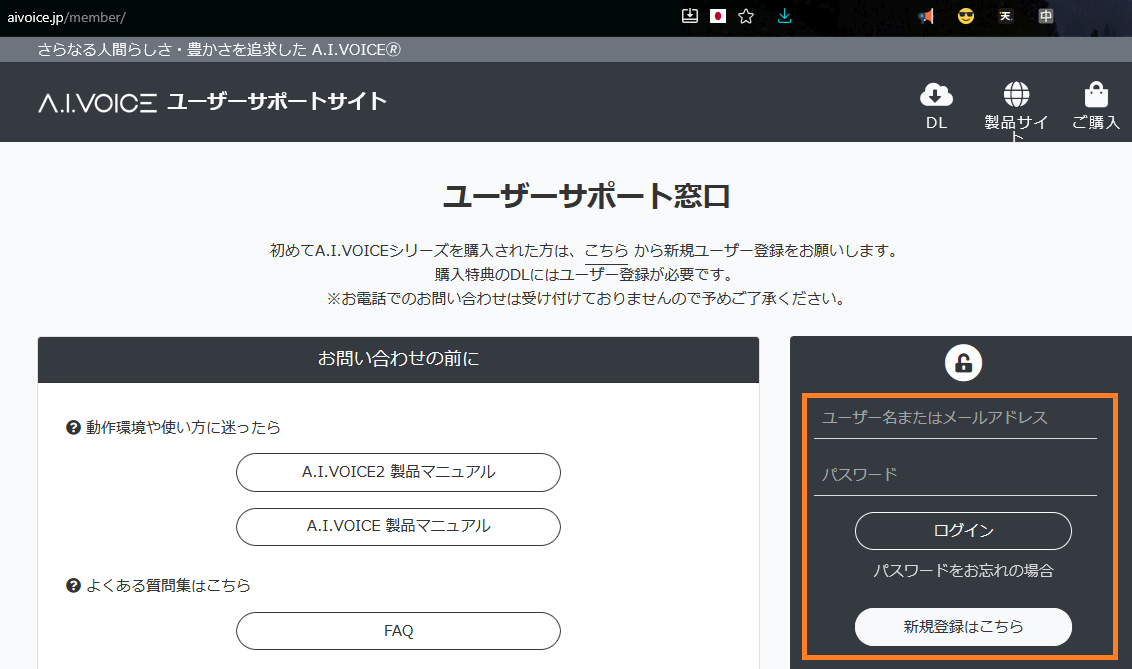
1) Go to the A.I.VOICE User Support Site and register for an account if you don't already have one. (New users must click [新規登録はこちら/Click Here To Register] to go to the registration page > Pick a username, email, and write the password twice.)
Log in to your account with your username or email address and password. Click [ログイン/Login].
2) Click the [製品情報/Product Information] tab on the right > Click [製品情報の追加/Add Product Information] to get taken to a place to fill in the day you purchased one of the Gynoid Talk voice banks plus the activation key (the activation key used in Gynoid Talk and AIVOICE are the same) > Click [登録/Register].
BEFORE REGISTERING THE ACTIVATION KEY:
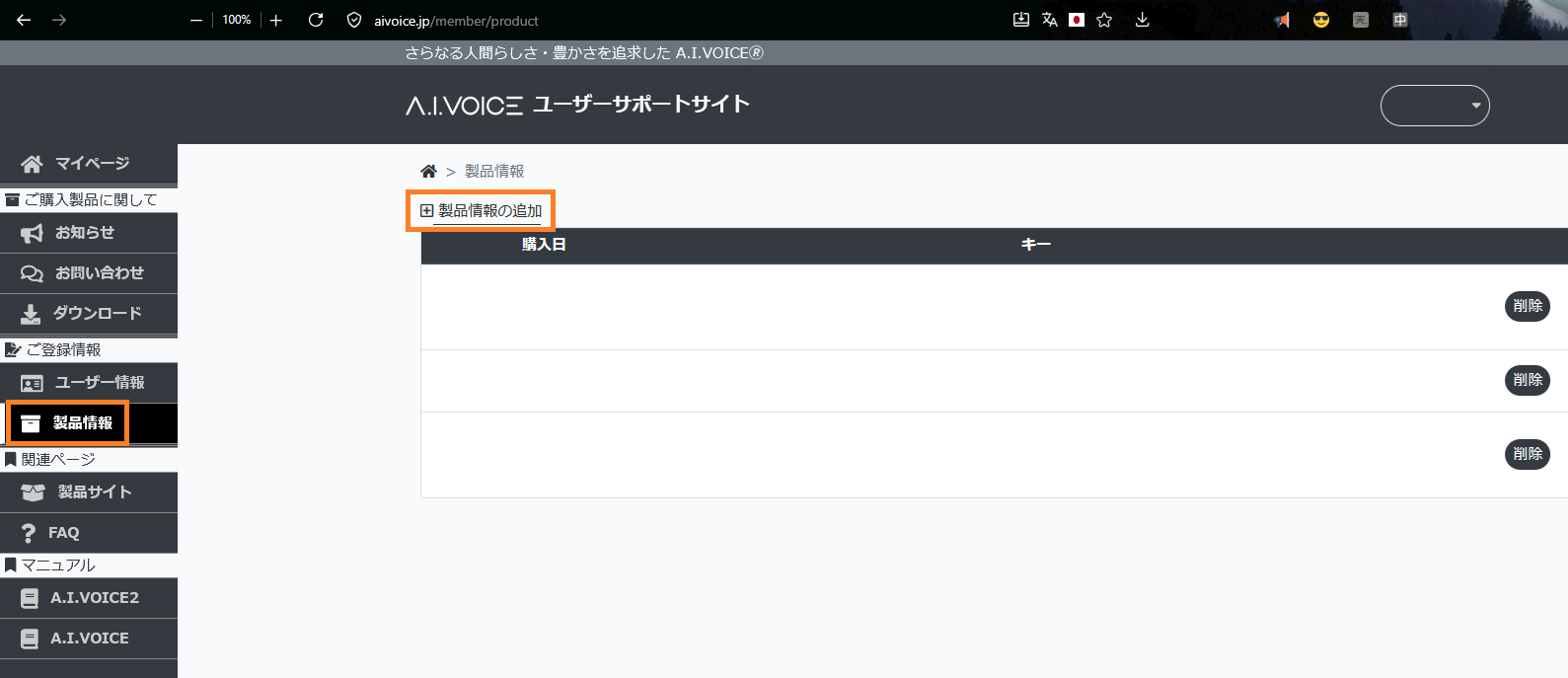
(Note: I have censored all of my purchases.)
AFTER REGISTERING THE ACTIVATION KEY:
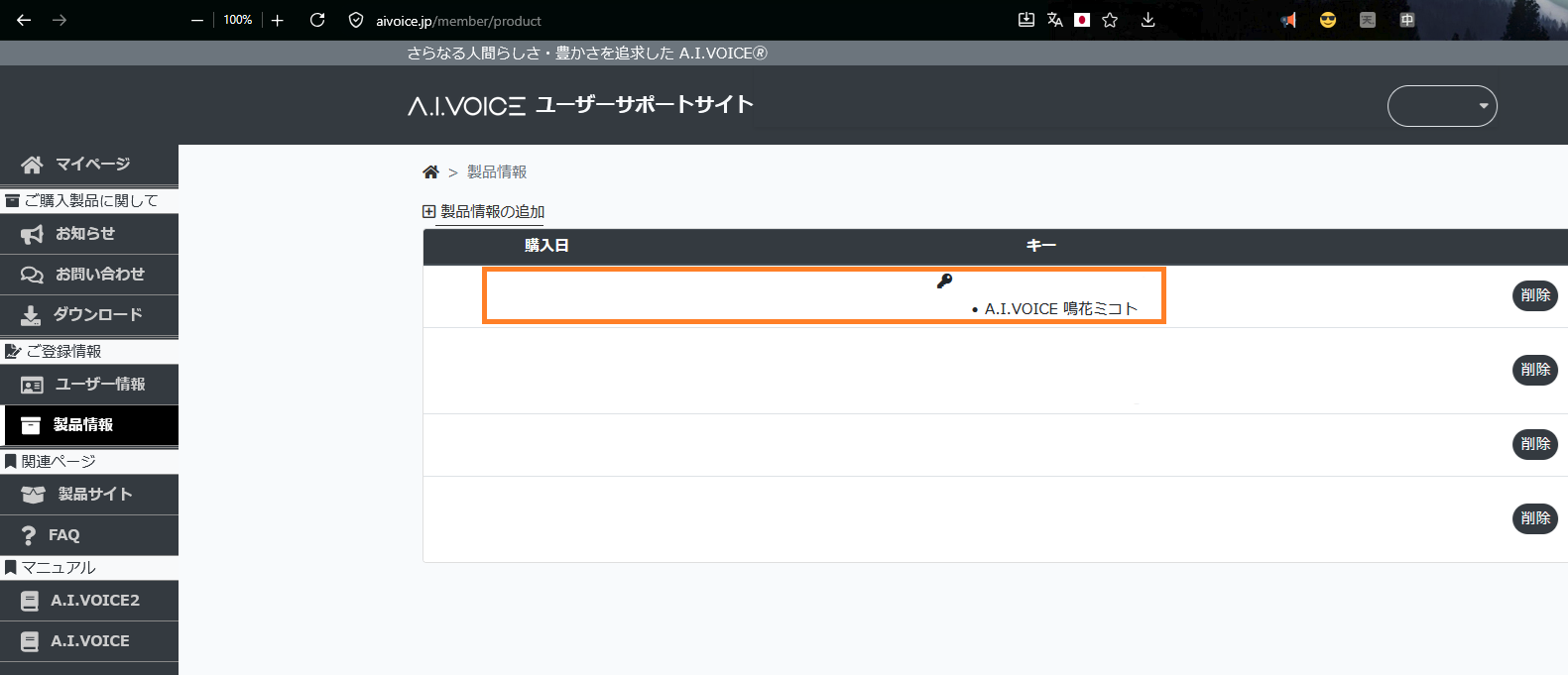
(Note: I have censored all of my purchases except for Meika Mikoto partially.)
3) Click [ダウンロード/Download] on the right tab > In the center top of the page is a 特典(購入・DL)/Extra (Purchase/Download) button you must press. This is where special files such as exVOICE zip folders mainly go, but a download for the Windows and Mac version of your Gynoid voice bank will be here.
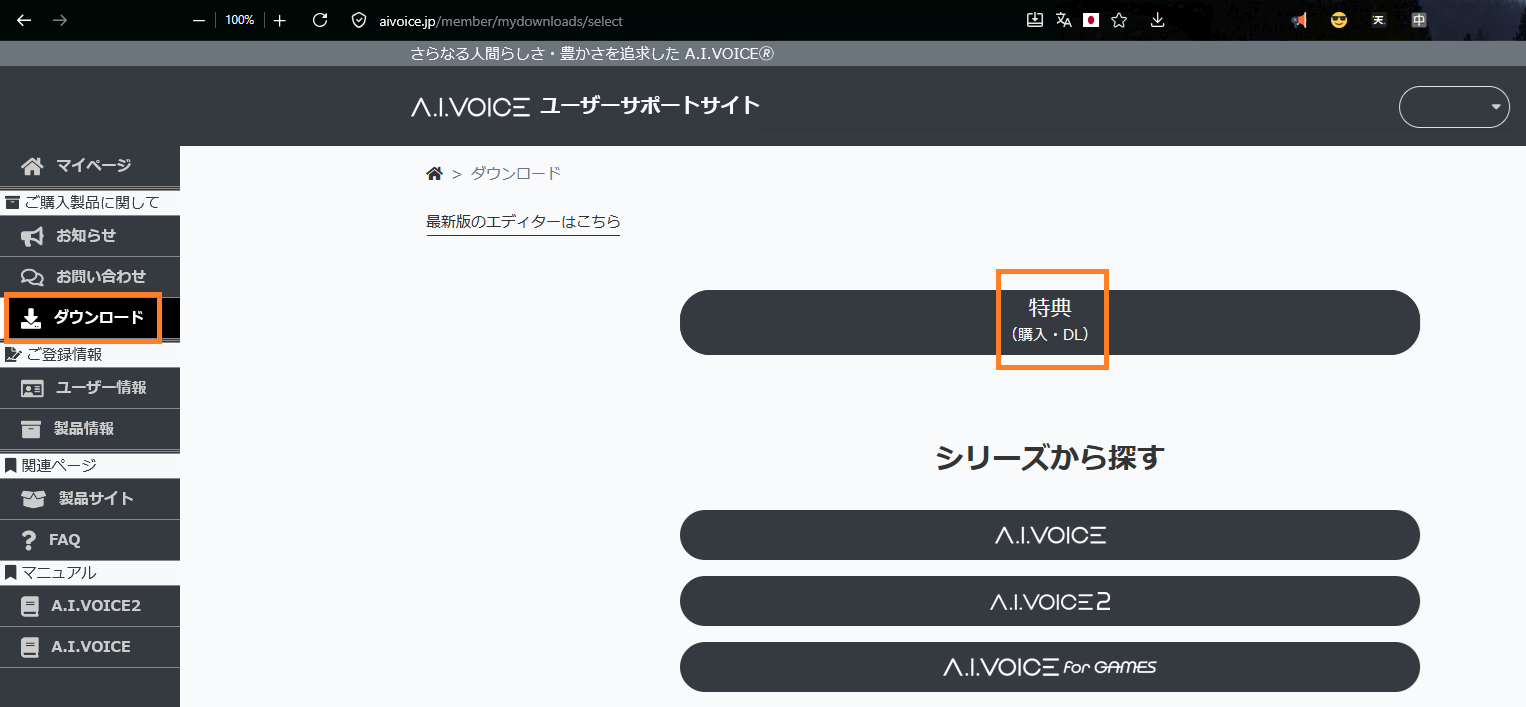
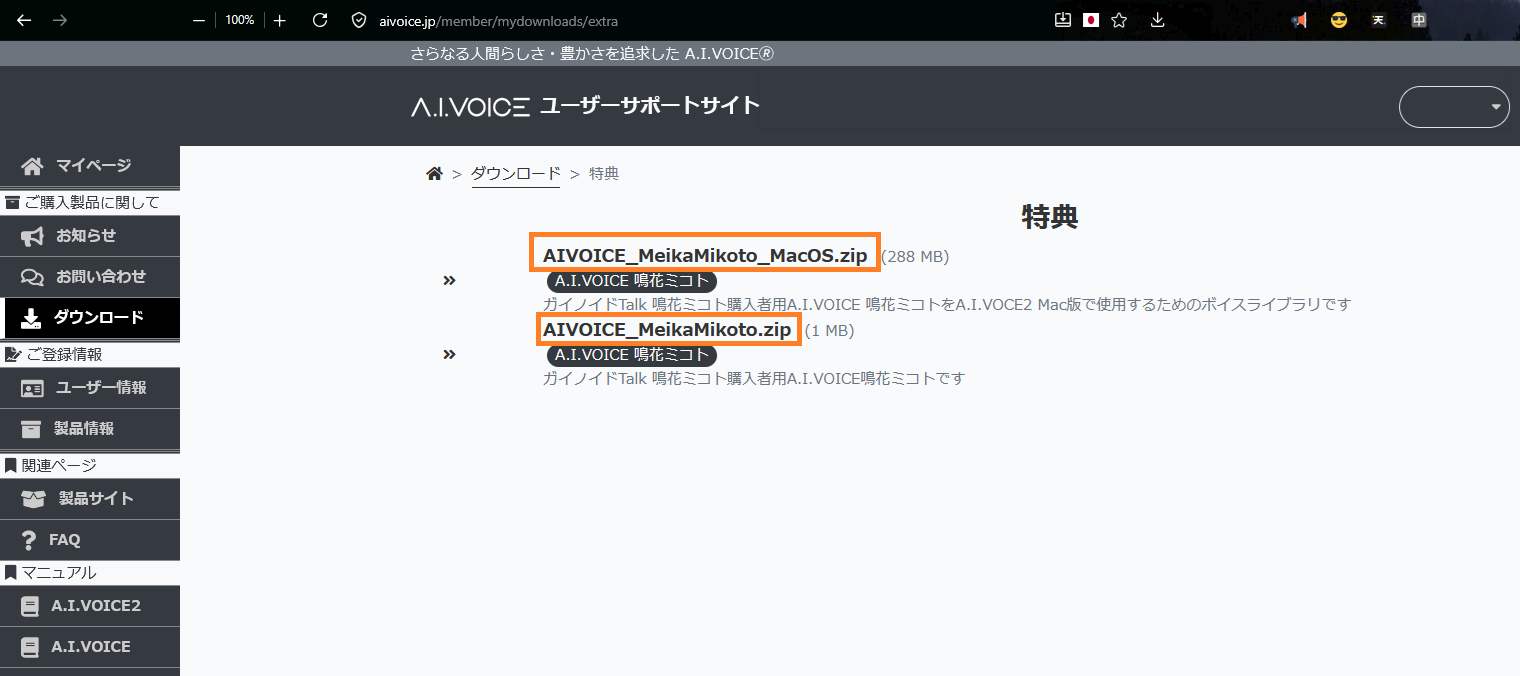
Click the file name of either the MacOS version or the Windows version to download.
Run setup.exe after unzipping the folder.
Enter the same serial number as used in Gynoid Talk to activate.
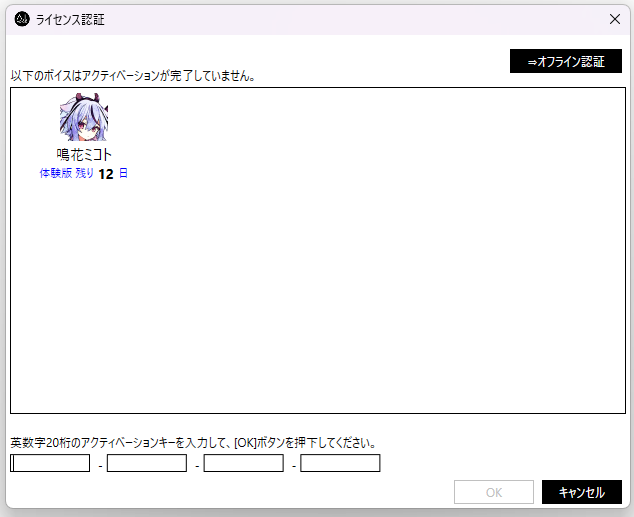
Mikoto in the AIVOICE Editor:
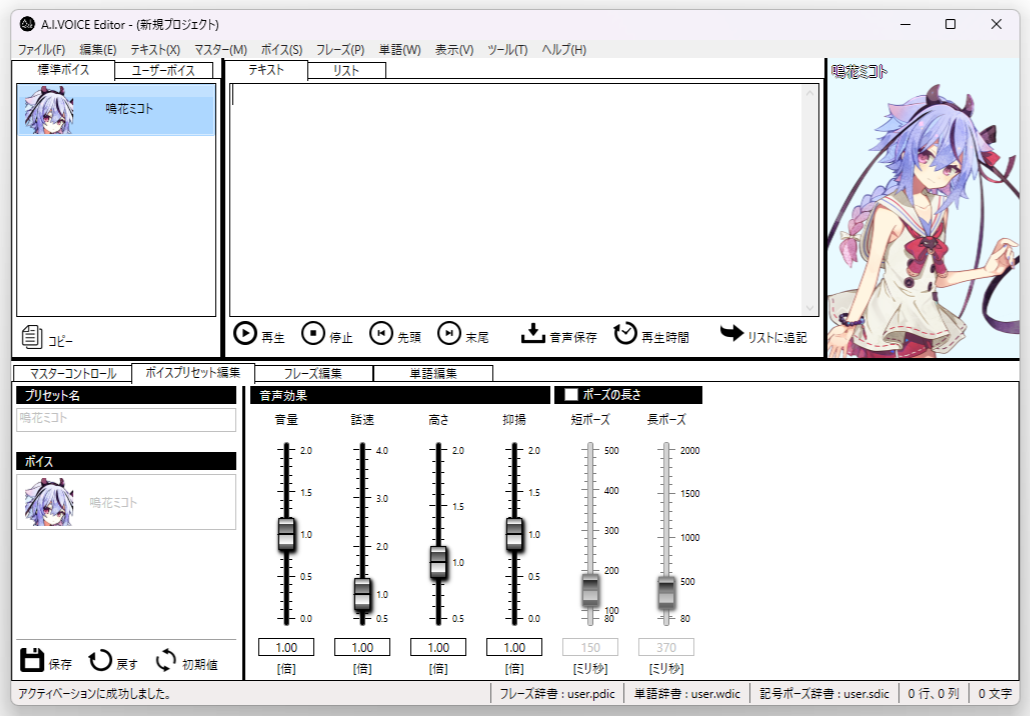
If you own AIVOICE2 Editor, any AIVOICE voice bank can be used in it (it's backwards compatible). However, it will not convert Mikoto, Hime, or flower into AIVOICE2 (NV) voice banks. AIVOICE banks sound more jittery, while AIVOICE2 banks are significantly smoother. As of writing this tutorial, flower never got an update to AIVOICE2 (NV). The twins have an AIVOICE2 (NV) option but they can only be purchased together instead of separately like you could with Gynoid Talk.
Mikoto for AIVOICE in the AIVOICE2 editor:
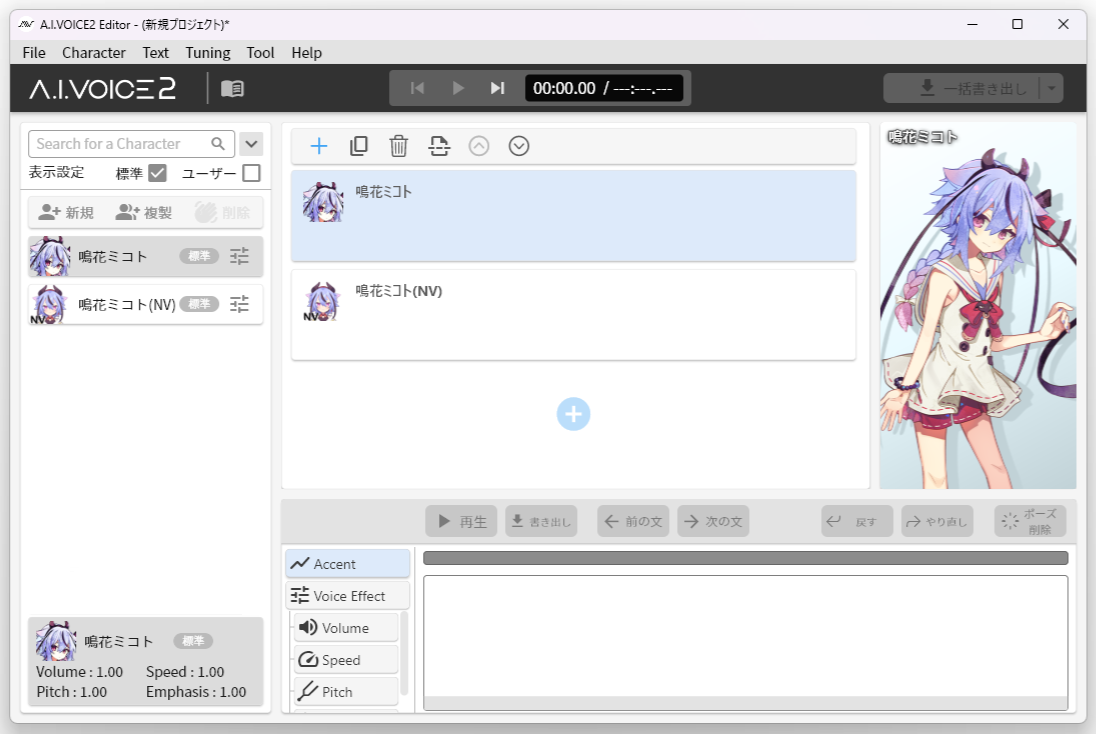
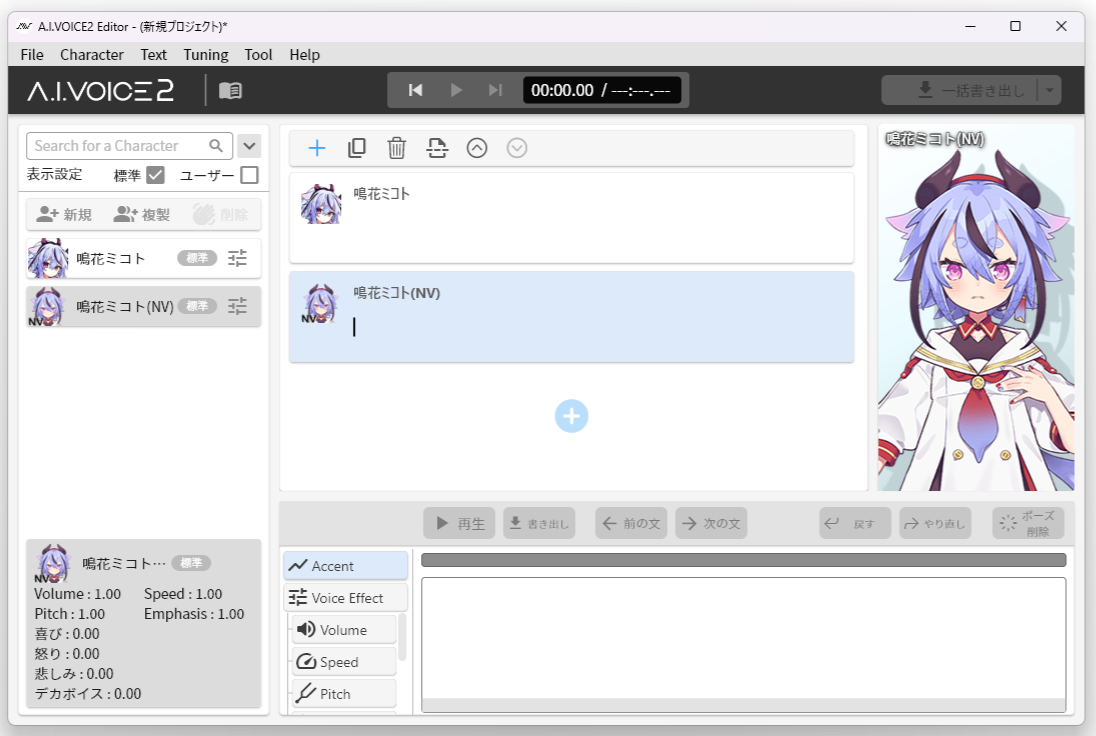
Compare that to Mikoto's AIVOICE2 (NV) voice bank, which is a different/updated product and has an additional voice effect called デカボイス/Loud Voice:
Reference news article on official A.I.VOICE website
1) Go to the A.I.VOICE User Support Site and register for an account if you don't already have one. (New users must click [新規登録はこちら/Click Here To Register] to go to the registration page > Pick a username, email, and write the password twice.)
Log in to your account with your username or email address and password. Click [ログイン/Login].
2) Click the [製品情報/Product Information] tab on the right > Click [製品情報の追加/Add Product Information] to get taken to a place to fill in the day you purchased one of the Gynoid Talk voice banks plus the activation key (the activation key used in Gynoid Talk and AIVOICE are the same) > Click [登録/Register].
BEFORE REGISTERING THE ACTIVATION KEY:
(Note: I have censored all of my purchases.)
AFTER REGISTERING THE ACTIVATION KEY:
(Note: I have censored all of my purchases except for Meika Mikoto partially.)
3) Click [ダウンロード/Download] on the right tab > In the center top of the page is a 特典(購入・DL)/Extra (Purchase/Download) button you must press. This is where special files such as exVOICE zip folders mainly go, but a download for the Windows and Mac version of your Gynoid voice bank will be here.
Click the file name of either the MacOS version or the Windows version to download.
Run setup.exe after unzipping the folder.
Enter the same serial number as used in Gynoid Talk to activate.
Mikoto in the AIVOICE Editor:
If you own AIVOICE2 Editor, any AIVOICE voice bank can be used in it (it's backwards compatible). However, it will not convert Mikoto, Hime, or flower into AIVOICE2 (NV) voice banks. AIVOICE banks sound more jittery, while AIVOICE2 banks are significantly smoother. As of writing this tutorial, flower never got an update to AIVOICE2 (NV). The twins have an AIVOICE2 (NV) option but they can only be purchased together instead of separately like you could with Gynoid Talk.
Mikoto for AIVOICE in the AIVOICE2 editor:
Compare that to Mikoto's AIVOICE2 (NV) voice bank, which is a different/updated product and has an additional voice effect called デカボイス/Loud Voice:


