• New accounts will normally be approved within 24 hours.
    Note: We're currently having issues with our e-mail system, anything requiring e-mail validation (2FA, forgotten passwords, etc.) must be changed manually by an Admin. Please reach out via the Contact Us form if you require any assistance.

From Piapro to Vocaloid 5 editor

Stigbn

Aspiring Fan
Jul 21, 2018
79
Denmark
I've nearly only used Piaopro Studio until now. In Piapro there is a setting for automatic vibrato for long notes, and a couple of other settings for all notes. I've always used this.
Now, when I use vocaloid 5, there is no vibrato unless i put it in manually (a far as I can tell - that's true, right?).
So I've found this solution: I start with my track in Piapro with a Vocaloid 4 singer, export a vsqx file, import this in Vocaloid 5, and I have vibrato on all long notes, and If I want to use a Vocaloid 5 singer I can just change it and I still have my vibrato. And now I'm free to finetune in Vocaloid 5.
 
  • Like
Reactions: PigeonP

Stigbn

Aspiring Fan
Jul 21, 2018
79
Denmark
Just to clarify: When using VO 5 voices there are vibrato and other things on the default voice (I just realised that). But - when I use a VO 4 voice like Miku V4 or VY1V4 it has no vibrato at all when you put it in. So that's why I wanted to use Piapro for that.
I have the small VO 5 version with only 4 VO 5 voices - I wonder if the large version adds some vibrato as default when you use VY1 or cyber songman?
 

Stigbn

Aspiring Fan
Jul 21, 2018
79
Denmark
Thank you PigeonP
Yes, I know you can do it on each note individually, like you show here, and of course this is better - if you have the time - than the automatic way that Piapro does it.

But I like the way that Piapro can put vibrato on all notes longer than for example 1 quater.note. This gives me a fast way to hear a reasonable version of the song. I don't work by inputting a song note by note, I play the song with a piano-sample, export it as a midi and import it into Piapro (or VO 5). There might be many, many notes in the song - and Piapro immidiately inserts reasonable vibrato on all notes longer than 1/4. After that I might fine-tune it here and there.
 

PigeonP

Pidgerino
Thank you PigeonP
Yes, I know you can do it on each note individually, like you show here, and of course this is better - if you have the time - than the automatic way that Piapro does it.

But I like the way that Piapro can put vibrato on all notes longer than for example 1 quater.note. This gives me a fast way to hear a reasonable version of the song. I don't work by inputting a song note by note, I play the song with a piano-sample, export it as a midi and import it into Piapro (or VO 5). There might be many, many notes in the song - and Piapro immidiately inserts reasonable vibrato on all notes longer than 1/4. After that I might fine-tune it here and there.
It's a sad omission from VOCALOID5, the first editor to omit this function. I draw my vibrato by hand in pitch-dynamics-gender, so I'm not used to being able to use those for notes unless they're longer than 4 beats. Beyond showing you where it is and how to manipulate it, I can't make it so all notes of a predetermined length have vibrato. I can't add that function to VOCALOID5.

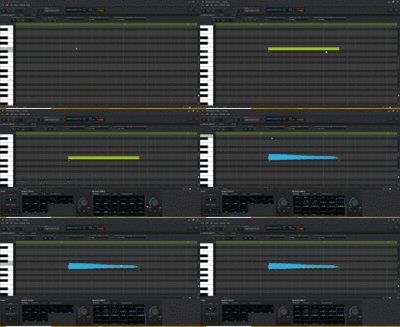
The closest way to do it here is to select the desired notes by hand and then apply the vibrato. You can add any attack/decay to all notes selected at once.
 

Users Who Are Viewing This Thread (Users: 0, Guests: 1)