New accounts will normally be approved within 24 hours.
Note: We're currently having issues with our e-mail system, anything requiring e-mail validation (2FA, forgotten passwords, etc.) must be changed manually by an Admin. Please reach out via the Contact Us form if you require any assistance.
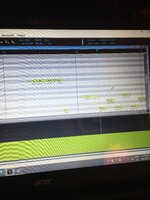
How do I deal with the small notes with dots in them?
What is it that you want to change about the notes?
Those dots (the ellipsis mark, right?) appear when the notes are too short on the screen to show the phonemes. To take a shot in the dark, Piapro sometimes doesn't let you resize notes if they're too small on the screen. You need to zoom in on them to make the mouse change to the double-arrow resize cursor that lets you change how long the note is. I don't know if that's the issue you're seeing in the Vocaloid 4 Editor, but if it is, that might be a solution.
What is it that you want to change about the notes?
Those dots (the ellipsis mark, right?) appear when the notes are too short on the screen to show the phonemes. To take a shot in the dark, Piapro sometimes doesn't let you resize notes if they're too small on the screen. You need to zoom in on them to make the mouse change to the double-arrow resize cursor that lets you change how long the note is. I don't know if that's the issue you're seeing in the Vocaloid 4 Editor, but if it is, that might be a solution.
The words don't show because the notes are tiny. You have to zoom in until you can somewhat see them. Or just right click the note and change the note phonetic to see the word and its phonetic.
This site uses cookies to help personalise content, tailor your experience and to keep you logged in if you register.
By continuing to use this site, you are consenting to our use of cookies.


 2.2 MB Views: 14


 Or just right click the note and change the note phonetic to see the word and its phonetic.